
From printed photographs to a digital wall.
After a big shoot, David Runyon loved printing photographs and moving them around on a table or pinning them to a wall. Comparing two images side by side, swapping their positions, and moving them back and forth felt natural.
For him, the folders and grids in Lightroom and other photo apps felt rigid and overwhelming. On the road or in the air, a printer and an internet connection aren’t always available.
David tried arranging photographs in tools like Miro and Apple Freeform. The freedom to move images around felt right, but adapting a general-purpose whiteboard to a photographer’s workflow felt like fitting a square peg into a round hole.
He wanted to move quickly through a shoot, compare alternatives, and find a sequence without interrupting his train of thought. He also wanted his photographs to stay locally on his computer, with no monthly subscription.
That became the ambition behind EditWall: to build a visual whiteboard around the way photographers work, from spreading out the first images to shaping the finished story.
A workspace for the edit.
EditWall is photo sequencing software for Mac. Bring your local photographs onto a wall, keep alternatives together, compare frames, and try different orders. Carry a sequence into an Instagram carousel, a zine, or a gallery preview.
Move images freely, see alternatives together, and change your mind as the sequence takes shape. Your RAW editor can remain part of that process. Our Lightroom workflow guide covers both RAW files with XMP sidecars and finished JPEGs.
EditWall works offline with local photographs and local wall projects. The Solo license is a one-time purchase; see current pricing and license details. See product details for formats, exports, and Mac requirements.
David Runyon.
David Runyon is an entrepreneur and the photographer behind the Alaska Glacier Hike photographs featured throughout EditWall’s walkthrough and guides.
His preference for arranging physical prints shaped the idea behind EditWall. The Alaska Glacier Hike project brings that approach into view, moving between people, ice formations, close details, and open landscapes.
Find David on Instagram @thevisionaryofficer or explore his outli.ne profile.
See the work, then try the workflow.
Our guides use the same Alaska Glacier Hike project, with photographs by David Runyon and screenshots from the app. You can follow the sequence from grouped alternatives on the wall to a booklet proof or a set of carousel slides.
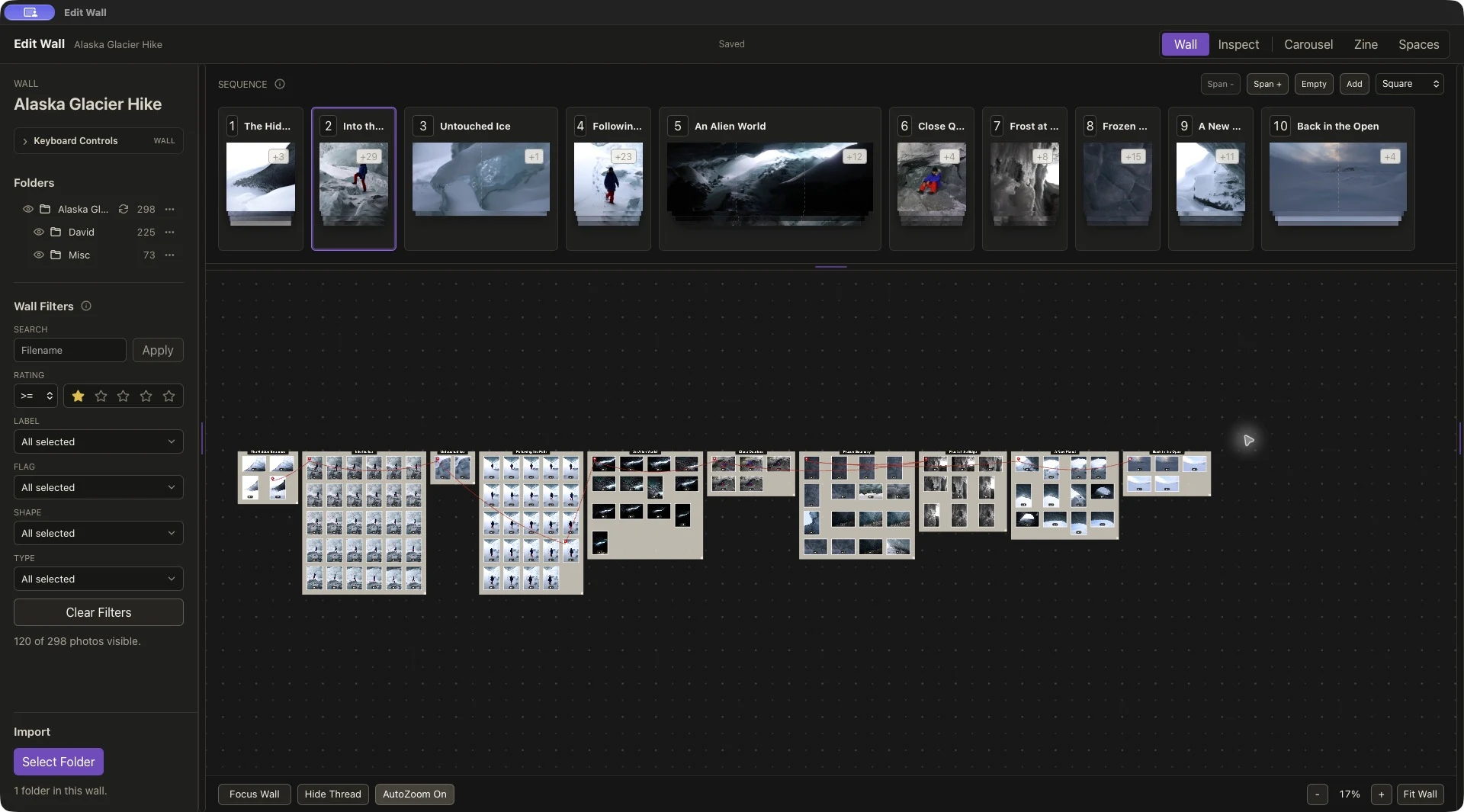
- Sequence photographs for a zine — compare alternatives and review the edit as a booklet.
- Create an Instagram photo carousel — see fourteen actual exported slides from the project.
- Watch the walkthrough — see the broader workflow in the app.
Published by Diversified Fun LLC.
EditWall is the product name. Diversified Fun LLC is its publisher and the developer listed on the Mac App Store.
Visit Diversified Fun or view the publisher’s App Store profile. EditWall’s privacy policy and terms describe how the product and website operate.
Tell us about your workflow.
For product questions, feedback, or help with a sequence, email support@editwall.com. The support page explains what to include when reporting an issue.
Follow EditWall on YouTube for videos or EditWall on Instagram.